The tech world moves fast, but February 5, 2026, hit differently. While the internet argued about deepfakes, OpenAI quietly dropped Codex 5.3 (codenamed "Garlic")—a nuclear reactor for the developer ecosystem. This isn't just a spec bump; it's a philosophy shift from "Vibe Coding" (vibing with a chatbot until something works) to "Agentic Engineering" (building systems that build systems).
If you’re tired of AI tools that hallucinate libraries or choke on complex logic, this update is your wake-up call. In this Codex 5.3 Beginner's Guide, we’re stripping away the hype to look at the raw mechanics. Whether you’re a seasoned dev or a "no-code" enthusiast, this is your blueprint to surviving—and thriving—in the age of the 128k token output.
What is Codex 5.3? The "Garlic" Architecture Explained
To understand why Codex 5.3 feels different, you have to look under the hood. For the first half of the 2020s, the AI narrative was dominated by "Scaling Laws"—the idea that if you just make the model bigger and feed it more data, it gets smarter.
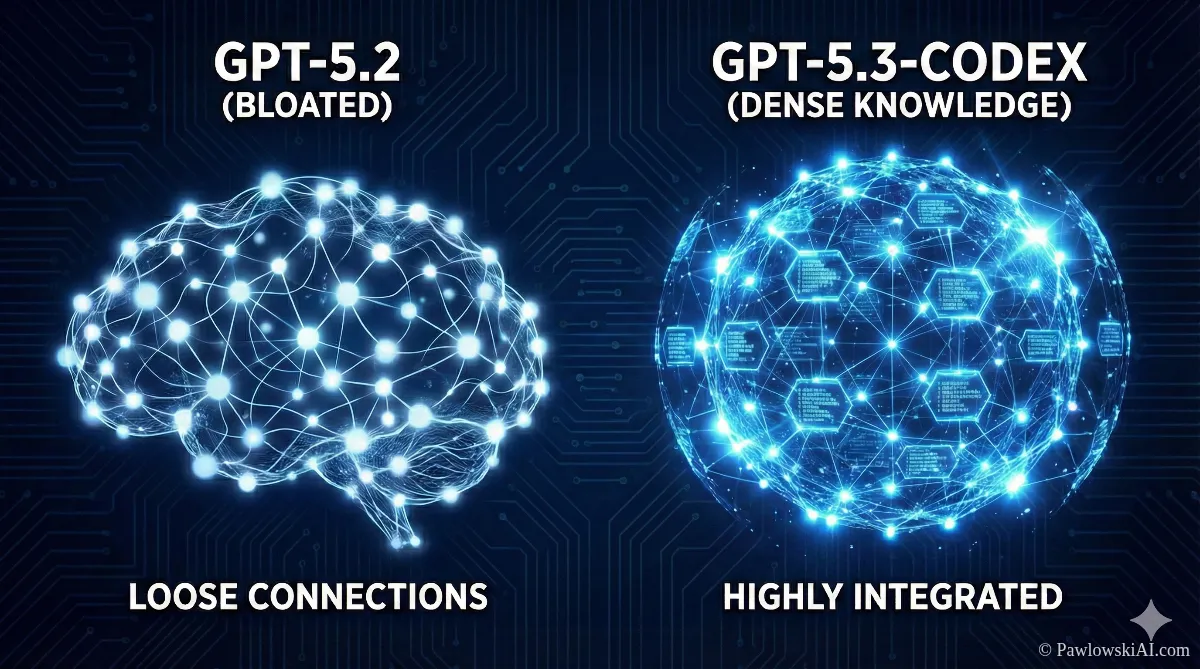
"Garlic" challenges that. Instead of getting bigger, the model got denser.
Enhanced Pre-Training Efficiency (EPTE)
Think of previous models like a massive library where half the books are filled with lorem ipsum text. They were big, but inefficient. Codex 5.3 utilizes Enhanced Pre-Training Efficiency (EPTE), which reportedly achieves 6x more knowledge density per byte.
Here’s why that matters to you:
- Intelligent Pruning: The model has effectively "forgotten" the junk data that used to confuse it. It mimics biological synaptic pruning—keeping the connections that matter and ditching the ones that don't.
- Speed: Because it’s not wading through sludge, it runs 25% faster than GPT-5.2. When you’re in a flow state, that difference is the gap between "annoying lag" and "real-time thought."
The Auto-Router: Reflex vs. Deep Reasoning
One of the coolest features for beginners is that you don’t have to decide which "mode" to use. Codex 5.3 splits its brain into two lanes using an Auto-Router System:
- Reflex Mode: Need to fix a syntax error or write a regex for an email validator? The model snaps back instantly. It’s cheap, fast, and perfect for the grunt work.
- Deep Reasoning Mode: Ask it to "Architect a microservices backend for a fintech app," and the router engages the heavy lifters. It takes a beat to "think" (chain-of-thought processing) before it starts typing.
This bifurcation is huge for cost and speed. You aren't burning a supercomputer’s energy just to print "Hello World."
Goodbye "Lost in the Middle": Perfect Recall & 128k Output
If you’ve ever pasted a 50-page PDF into an AI and asked a question about page 25, only to have the model hallucinate an answer because it "forgot" the middle part, you know the pain of the "Lost in the Middle" phenomenon.
Codex 5.3 fixes this with "Perfect Recall".
The context window is rumored to be a massive 400,000 tokens, but the real game-changer is the attention mechanism that ensures consistent performance across the entire window. You can dump a whole documentation library in there, and it will remember the obscure API parameter buried on page 302.
The 128,000 Token Output
This is the feature that changes everything for AI Agents Without Programming.
Previously, models choked after generating about 4,000 words (tokens). You’d get half a code file and a network error. Codex 5.3 pushes the output limit to 128,000 tokens.
- What this means: You can generate entire software libraries, full-length technical specs, or a frontend + backend + database schema in a single pass.
- The Benefit: Coherence. The variables in the frontend actually match the backend because the model didn't "forget" what it wrote five minutes ago.

The Developer Experience: Mid-Turn Steering
Let's talk about the User Experience (UX). If you’ve used ChatGPT, you know the "Loop of Death." You prompt, it generates, you spot an error in line 1, but you have to wait for it to finish writing 50 lines of wrong code before you can correct it.
Mid-Turn Steering kills that frustration.
In Codex 5.3, the workflow is collaborative. You can interrupt the model while it is typing.
You: "Write a Python script using the requests library…"
Codex: Starts typing…
You: "Wait, actually, use httpx for async support."
Codex: Immediately stops, refactors the previous lines, and continues with httpx.
This shifts the dynamic from "Command and Control" to "Pair Programming." You are the navigator; the AI is the driver. And just like a human driver, you can tell it to turn left before it misses the exit.
Codex 5.3 Beginner's Guide to Setup
Ready to get your hands dirty? You have three main ways to access this power, depending on how deep you want to go.
1. The Casual User: Web Interface
If you're just dipping your toes in, the standard ChatGPT/OpenAI web interface now defaults to Codex 5.3 for coding tasks.
- Pros: Zero setup. Great for explaining concepts or writing small scripts.
- Cons: No access to your local files or terminal.
2. The Prosumer: Cursor (The AI Code Editor)
For those in our AI Masterclass, this is where we live. Cursor (a fork of VS Code) integrates Codex 5.3 as its "Composer" model.
- The Magic: It has "Next-Edit Prediction." It anticipates where your cursor is going and suggests multi-line edits across different files. It feels like the editor is reading your mind.
3. The Power User: Codex App for macOS
OpenAI released a dedicated app (v260205) that acts as a command center for agents.
- Features: It creates "worktrees" where you can have multiple agents working in parallel.
* Agent A: Fixes the database.
* Agent B: Updates the UI.
* Agent C: Reviews the documentation to ensure compliance. - Safety: It uses "Bubblewrap Sandboxing" to ensure the AI can run terminal commands (npm install, python test.py) without destroying your machine.
The Showdown: Codex 5.3 vs. Claude Opus 4.6
You can't talk about Codex without mentioning the elephant in the room. Anthropic released Claude Opus 4.6 on the exact same day. Talk about a Super Bowl rivalry.
Which one should you use? Here is the cheat sheet:
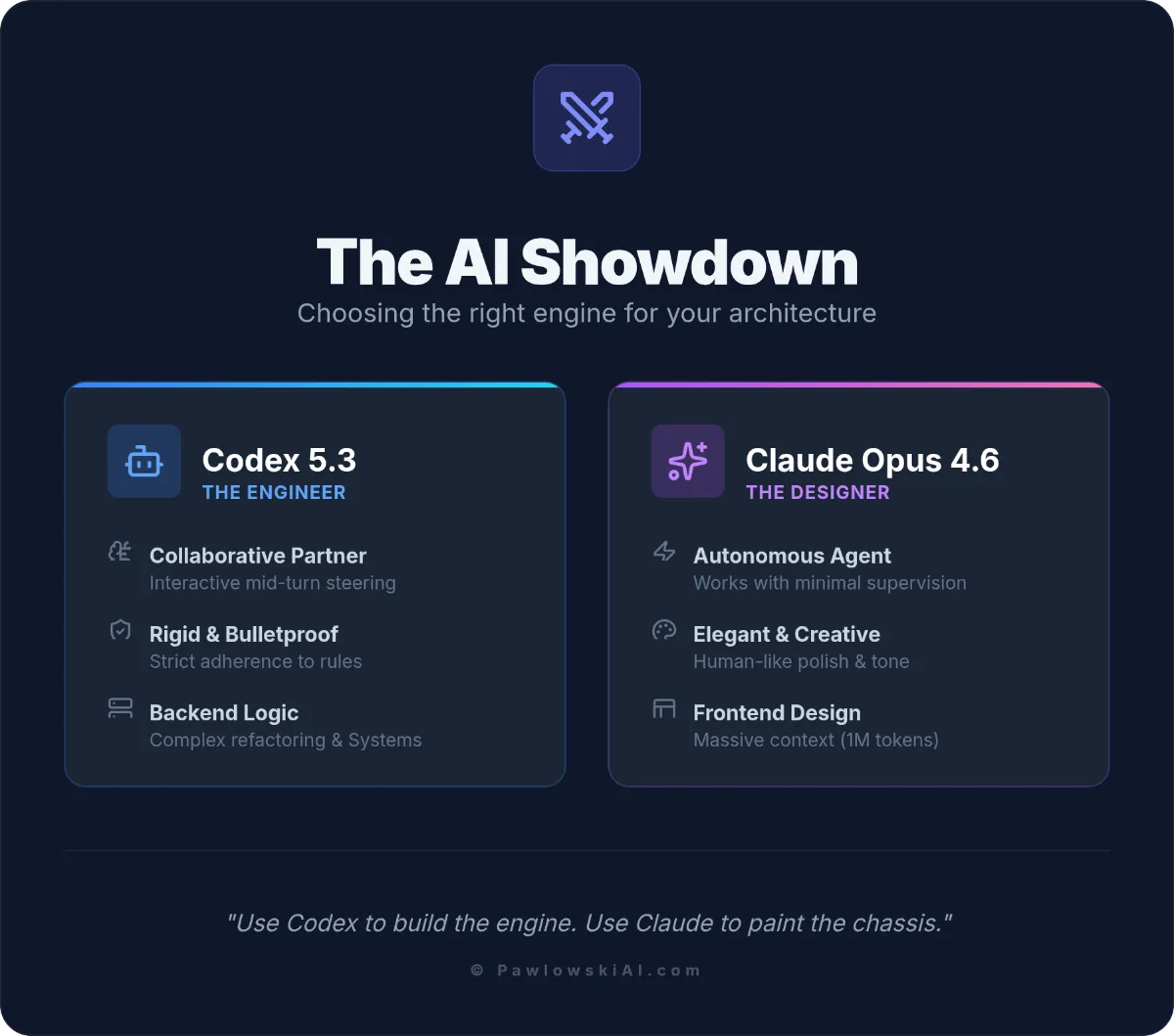
Codex 5.3: The "Backend" Engineer
- Philosophy: Interactive Collaborator.
- Strengths: Logic, complex refactoring, strict adherence to business rules, system administration.
- Vibe: Corporate, rigid, bulletproof.
- Best For: When the code must work, or the app breaks.
Claude Opus 4.6: The "Frontend" Designer
- Philosophy: Autonomous Agent.
- Strengths: Massive context (1 Million tokens), creative writing, UI/UX design.
- Vibe: Elegant, creative, visually polished.
- Best For: When the app needs to look amazing and feel human.
The Strategy: Use Codex to build the engine. Use Claude to paint the chassis.
Case Study: The Space Flight Sandbox
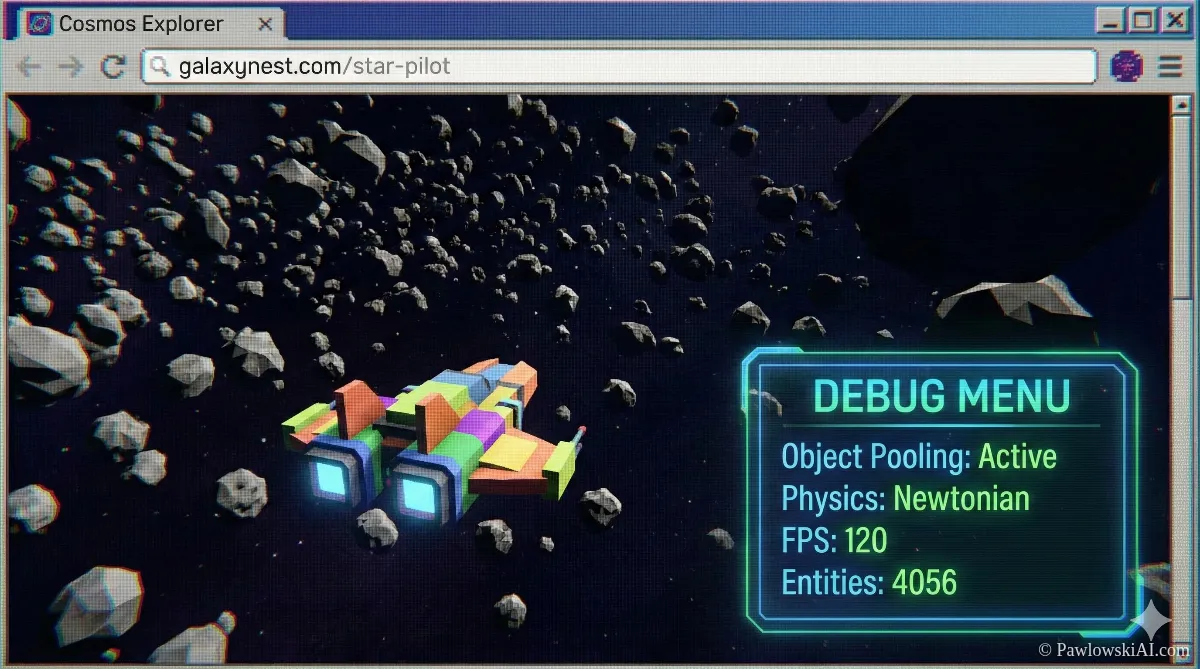
To prove this isn't just marketing fluff, let's look at a real-world stress test: The Space Flight Sandbox.
A user tasked Codex 5.3 with building a browser-game where you fly a ship through an asteroid field. This sounds simple, but it requires physics (inertia), rendering loops, and memory management.
What Codex Did Differently:
- Planning: It didn't just vomit code. It separated the physics engine from the rendering loop.
- Object Pooling: It realized that creating 1,000 asteroids would crash the browser. It automatically implemented "object pooling" (recycling asteroids) to keep the frame rate smooth.
- Physics: It correctly applied Newtonian physics—when you stop thrusting, the ship drifts. See the full technical breakdown here.
This is the difference between a chatbot that knows syntax and an engineer that understands systems.
The Trust Gap: Why You Can't Fire Your Junior Devs
Here is the hard truth that our AI Agents Without Programming course emphasizes: Do not trust the AI.
Despite Codex 5.3 being "High Capability" for cybersecurity (capable of acting as a "Blue Team" defender), it still suffers from the Trust Gap. Studies show AI code can have 2.7x more security vulnerabilities if left unreviewed.
The New Role: AI Supervisor
You aren't firing junior developers; you are promoting them. Their job is no longer to write the for loop. Their job is to:
- Audit: Read the code Codex generates.
- Verify: Run the tests.
- Explain: Tell the senior dev why the code works.
The productivity boost (60% more pull requests) only happens if you have a human in the loop to prevent "spaghetti code" disasters.
Strategic Prompting: Don't Prompt, Spec
If you take one thing away from this Codex 5.3 Beginner's Guide, let it be this: Stop writing prompts. Start writing Specifications.
Garlic architecture hates vague instructions. It thrives on density.
Bad Prompt:
"Make me a website for my dog walking business."
Strategic Spec:
"Act as a Senior Frontend Developer. Build a landing page for 'PupWalks'.
Stack: Next.js, Tailwind, Framer Motion.
Components: Hero (Image Left), Pricing (3 Tiers), Testimonials.
Constraint: Pricing toggle must switch between Monthly/Yearly.
Plan: Outline the component structure first, then code the PricingCard."
This forces the Deep Reasoning Mode to kick in. It stops the model from rushing into "Reflex Mode" and producing generic trash.
Future-Proofing Your Career
The release of Codex 5.3 signals the age of the "One-Person Unicorn." The barrier to entry for building complex software has never been lower, but the ceiling for quality has never been higher.
You don't need to be a master of syntax anymore. You need to be a master of Orchestration. You need to know how to direct Codex to handle the logic, Claude to handle the design, and Open Source models (like DeepSeek and others mentioned in Sider's latest report) to handle privacy.
The tools are here. The only variable remaining is your ability to wield them.